
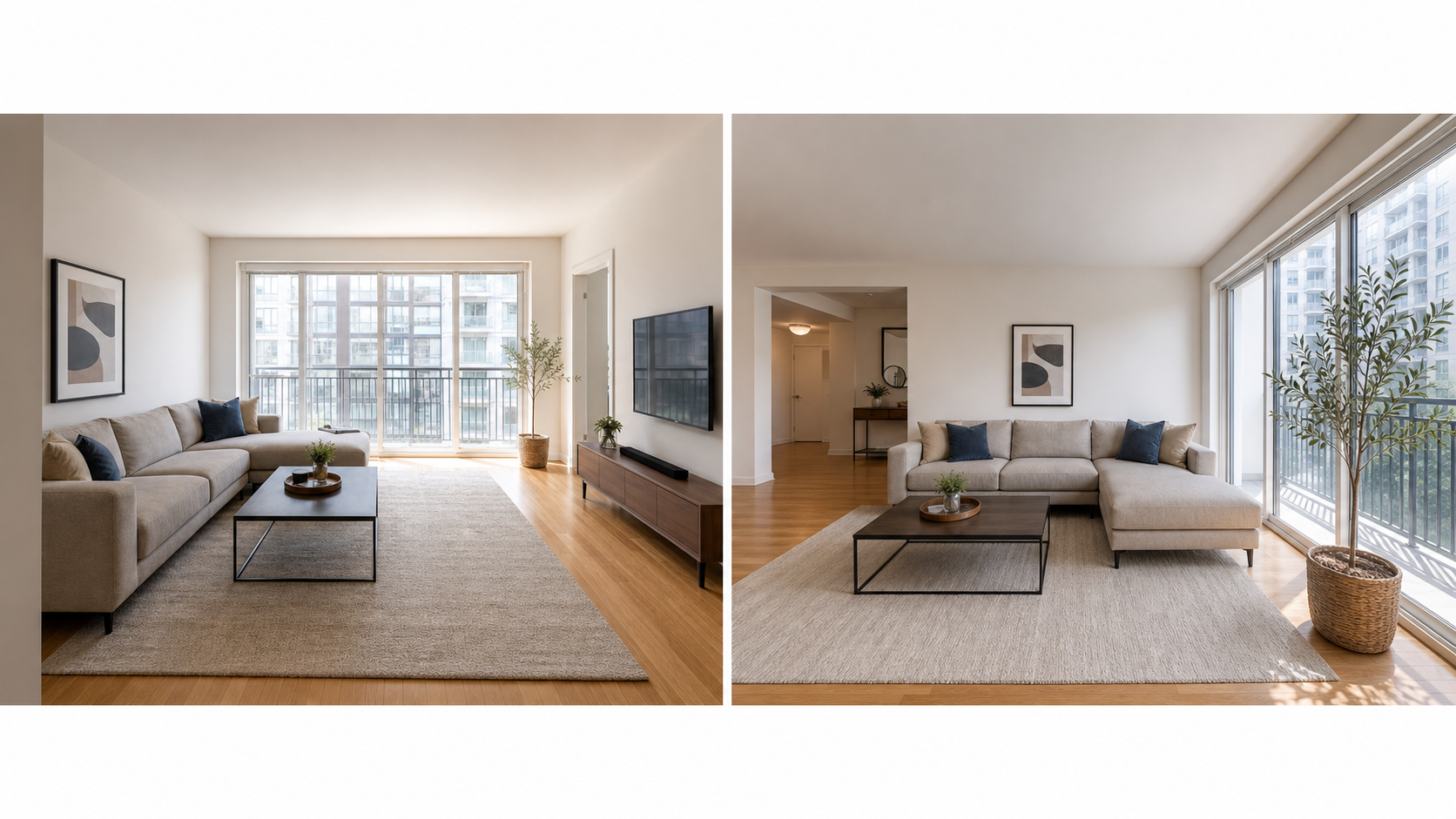
Does staging actually matter for rental photos?
Yes, and it matters before any camera or editing decision. Staging is not about pretending the place is something else; it is about removing visual noise so people can see the room, the light, the layout, and the amenities. A cluttered photo forces viewers to work to find the space underneath, and most of them will not bother. Airbnb's host guidance recommends photographing a clean, clutter-free space in daylight, and the same principle applies to apartments, condos, and mid-term rentals.
Staging is also the cheapest improvement available. It costs nothing, requires no gear, and improves every photo you take afterward. A well-staged room shot on a phone routinely beats a messy room shot on a professional camera, because the viewer's question is about the property, not the photography.
What should you remove before shooting?
Remove personal items, functional clutter, and anything that will not be there when the guest or tenant arrives. Start with subtraction, because removing distractions does more for a photo than anything you add: every extra object in a frame is something the viewer has to process before they can see the room. Personal items go first, since family photos, mail, toiletries, and laundry make the space feel occupied rather than available. Then clear the functional clutter that photographs badly even though it belongs in the home. Cameras are crueler than eyes; things you stopped noticing months ago, like a cord along a baseboard or a cluster of bottles by the sink, become the loudest object in the photo. Box everything up rather than shoving it into closets, because closets get photographed too.
- Trash cans, recycling bins, and cleaning supplies
- Loose cords, chargers, power strips, and visible cables
- Refrigerator magnets, notes, and counter appliances you do not want featured
- Bathroom toiletries, toothbrushes, plungers, and used towels
- Pet bowls, litter boxes, beds, and toys
- Excess decor, stacked boxes, and anything blocking windows or walkways
Only remove what will genuinely be gone when the guest or tenant arrives. Clearing temporary mess is honest; hiding permanent problems is not.
What does a room-by-room staging checklist look like?
A room-by-room checklist is short: each room has two or three fixes that carry most of the weight, and everything else is diminishing returns. Straightened bedding, cleared counters, and closed cabinet doors do more for a gallery than any amount of decorating, because they signal care, and viewers read care in photos as care in maintenance. Work through the rooms in the order you plan to shoot them so nothing drifts back to normal before the camera arrives. The resets compound: small misalignments repeated across fifteen photos make a listing feel neglected without the viewer being able to say why.
| Room | Key resets |
|---|---|
| Living room | Straighten cushions, align furniture, clear surfaces, hide cords |
| Kitchen | Clear counters, close cabinets, wipe steel and glass, empty sink |
| Bedroom | Smooth bedding, fluff pillows, clear nightstands, close closets |
| Bathroom | Fresh folded towels, toilet lid down, clear counter, wipe mirror |
| Dining area | Set or clear the table fully, align chairs evenly |
| Entry and exterior | Sweep, remove bins and hoses, tidy shoes and mail |
How do you stage a rental in one afternoon?
A full staging pass fits in a single afternoon if you separate it from cleaning and follow a fixed sequence instead of wandering room to room fixing whatever you notice. The order matters: subtraction first across the whole property, then resets, then light, then a camera-eye walk-through, then shoot. Working in passes front-loads the highest-value work in case you run short. Plan the shoot for the same day; a staged property decays quickly once anyone lives or works in it.
- Deep clean the property beforehand, so staging day is arranging, not scrubbing.
- Do a subtraction pass through every room, boxing up clutter and personal items.
- Reset each room using the checklist above, starting with the rooms you will photograph first.
- Open all blinds and curtains and replace any dead or mismatched bulbs.
- Wipe mirrors, windows, and reflective surfaces where the camera will point.
- Walk the property viewing each room from its likely camera position and fix what the frame reveals.
- Shoot immediately, before the space drifts back toward normal use.
How do you show function without over-staging?
Good staging answers practical questions. A dining area should look ready to eat at, a workspace should show the chair, desk depth, and outlet access, and a bedroom should make the sleeping setup obvious, including bed size. Over-staging starts when props stop describing the space and start decorating it: elaborate table settings, rented plants, and styled scenes that will not exist when someone moves in. When in doubt, sparse and legible beats styled and misleading.
Where is the line between staging and misleading?
The line is simple to state: staging arranges what the property really offers, while misleading adds, removes, or disguises what it offers. Clearing counters, straightening bedding, and hiding a trash can are all fine because the guest receives exactly what the photo shows. Borrowing furniture the tenant will not get, covering damage with props, or angling shots to hide a permanent flaw crosses into misrepresentation, and the same standard applies to digital edits. Real estate professionals are held to a true-picture standard in advertising under the NAR Code of Ethics, and hosts face the same enforcement through reviews and refund claims.
The same reasoning applies after the shoot. Cleanup edits like lighting and color are routine, while edits that change what the space contains need disclosure; see the disclosure-safe enhancement checklist. Property Photo AI is designed for the safe side of that line, with a touch-up mode that preserves the real layout, fixtures, and views. Once staged and shot, sequence the gallery using the right rental photo order.
FAQ
Does staging matter for rental photos?
Yes. Clean, simple staging removes visual noise so viewers can actually see the room, light, layout, and amenities. Airbnb's host guidance specifically recommends a clean, clutter-free space, and the same logic applies to long-term rentals: less distraction means faster, more confident decisions.
Should staging make a rental look more luxurious?
No. Staging should make the real space clearer and more inviting, not create expectations the property cannot meet. If guests or tenants arrive to something noticeably worse than the photos, the gap shows up in reviews, cancellations, and wasted tours.
How long does it take to stage a rental for photos?
For most units, two to four focused hours is enough: one pass to remove clutter, one pass to reset each room, and a final walk-through checking each planned shot. Deep cleaning should happen beforehand so staging day is only about arranging, not scrubbing.
Is it okay to remove clutter but not furniture in photos?
Yes. Removing temporary clutter like trash cans, cords, and personal items shows the space as a guest or tenant will actually receive it. Removing or adding furniture and fixtures digitally is different: that changes what the photos promise and generally needs disclosure.
Should I stage every room or just the main ones?
Stage every room you plan to photograph, and photograph every room that affects the decision. A spotless living room next to a cluttered bedroom reads as inconsistent. Viewers assume the worst photo represents the real standard of the property.
How Property Photo AI helps
Property Photo AI helps landlords, Airbnb hosts, property managers, and real estate teams turn existing room photos into cleaner listing-ready images. It is built for realistic touch-ups: better light, color, crop, sharpness, and small-distraction cleanup without changing the actual room layout, fixtures, view, or condition.
Sources
- Airbnb Help Center: Taking great photos of your listing
- Airbnb Help Center: Setting up a photo tour for your home listing
- Airbnb Help Center: Add visual descriptions to photos in your listing
- Airbnb Help Center: Confirming photo accuracy for listings
- Airbnb Help Center: Offer for free Airbnb photography
- Google Business Profile
- Google Business Profile Help: Manage your hotel's details
- Booking.com Partner Hub: Understanding photo requirements for your property
- Booking.com Partner Hub: Improve visibility and ranking
- Vrbo Help: Photo guidelines
- Zillow Rental Manager Help: Photo Uploading Tips
- Zillow Rental Manager: Post a listing
- Zillow Rental Manager Help: Why is my primary photo different?
- Craigslist Help: Creating a posting
- Craigslist Help: Images
- Airbnb Help Center: Pricing your home listing
- Airbnb Help Center: Compare similar listings
- Airbnb Help Center: How search results work