
Does photo order actually affect how a listing performs?
Photo order is part of conversion, not decoration. Renters and guests do not read a listing top to bottom; they scan the gallery to decide whether the place deserves more attention, and they usually decide within the first handful of images. The right sequence answers their biggest questions early: what does the main living space look like, is the kitchen usable, where will I sleep, is the bathroom clean. The wrong sequence, such as opening with a hallway or three angles of the same corner, forces people to hunt for information, and many simply move to the next listing instead.
The same photos in a better order can make a listing feel more complete and more trustworthy without a single reshoot. That makes reordering one of the cheapest improvements a landlord or host can make.
What is a reliable default photo order?
Lead with your single best overall image, the one that explains the property's value at thumbnail size. Then run the gallery like a guided walkthrough: living area, kitchen, primary bedroom, main bathroom, secondary bedrooms, remaining bathrooms, standout amenities, outdoor space, exterior or entry, parking, and finally practical details like laundry and storage. This order works because it front-loads the rooms people weigh most heavily and saves logistics for the end, when a serious prospect is confirming details rather than deciding interest. It is a default, not a law; a rental whose entire appeal is the view or the pool should promote that shot, but most properties are best explained inside first.
| Position | What to show | Question it answers |
|---|---|---|
| 1 | Strongest overall shot | Why click at all? |
| 2-3 | Living area and kitchen | Is daily life comfortable here? |
| 4-5 | Primary bedroom and bathroom | Where do I sleep and is it clean? |
| Middle | Other bedrooms, baths, amenities | Does it fit my group and needs? |
| End | Exterior, parking, laundry, details | Do the logistics work? |
How should the order change by listing type?
Short-term rentals should pull experience-driving amenities forward. If the hot tub, view, or pool is why guests book, it belongs in the first five photos, which Airbnb's guidance treats as especially important. Long-term apartment rentals should bring layout and practical features forward instead: renters choosing a home for a year care more about the kitchen, closets, laundry, and light than about styled decor. Zillow's guidance notes that kitchen or living-room photos often work well as the primary rental photo, and Zillow lets you choose which image leads. On Craigslist, galleries are simpler and the first few photos carry nearly all the weight, so compress your best material into those slots.
Hotels and multi-unit properties should organize by room type, then guest-facing amenities. For platform-specific detail, see Airbnb photo tour order and Zillow and Craigslist listing photos.
What should the first photo be?
The first photo should be the strongest honest image you have, in landscape orientation, readable at thumbnail size. On Airbnb, search-result photos display in landscape and the platform recommends at least 1024x683 pixels, bigger where possible. For most rentals the best cover is a bright living area, an impressive kitchen, or a genuine differentiator like a view or pool. Avoid covers that need explanation: dark exteriors, narrow hallways, or close-ups of decor.
Test the choice honestly. Shrink the candidate image to the size it will occupy in search results and ask whether a stranger could tell what makes this place worth clicking. If the answer requires squinting, pick a different photo.
How do you reorder an existing gallery step by step?
Reordering is a short, repeatable process you can finish in one sitting: audit what you have, cut what fails, choose a cover, fill the first five slots deliberately, and then sequence the rest as a walkthrough. It requires no new photography, only judgment about what each image proves and where it belongs. Every major platform lets you rearrange photos after publishing, and Craigslist lets you edit a post to update its images, so nothing about your current order is permanent. Set aside thirty minutes, open the gallery next to this list, and work through the steps in order; most listings come out noticeably clearer on the first pass.
- Open your current gallery and list what each photo actually shows.
- Delete duplicates, blurry frames, and anything outdated or misleading.
- Pick the cover: your strongest landscape image at thumbnail size.
- Fill the next four slots with the rooms and amenities that drive the decision.
- Sequence the rest as a walkthrough, grouping each room's photos together.
- Move logistics such as parking, laundry, and the entry to the end.
- Preview the gallery on a phone and confirm the story makes sense in order.
- Repeat the check on each platform, since galleries display differently.
Why does a consistent-looking gallery matter for order?
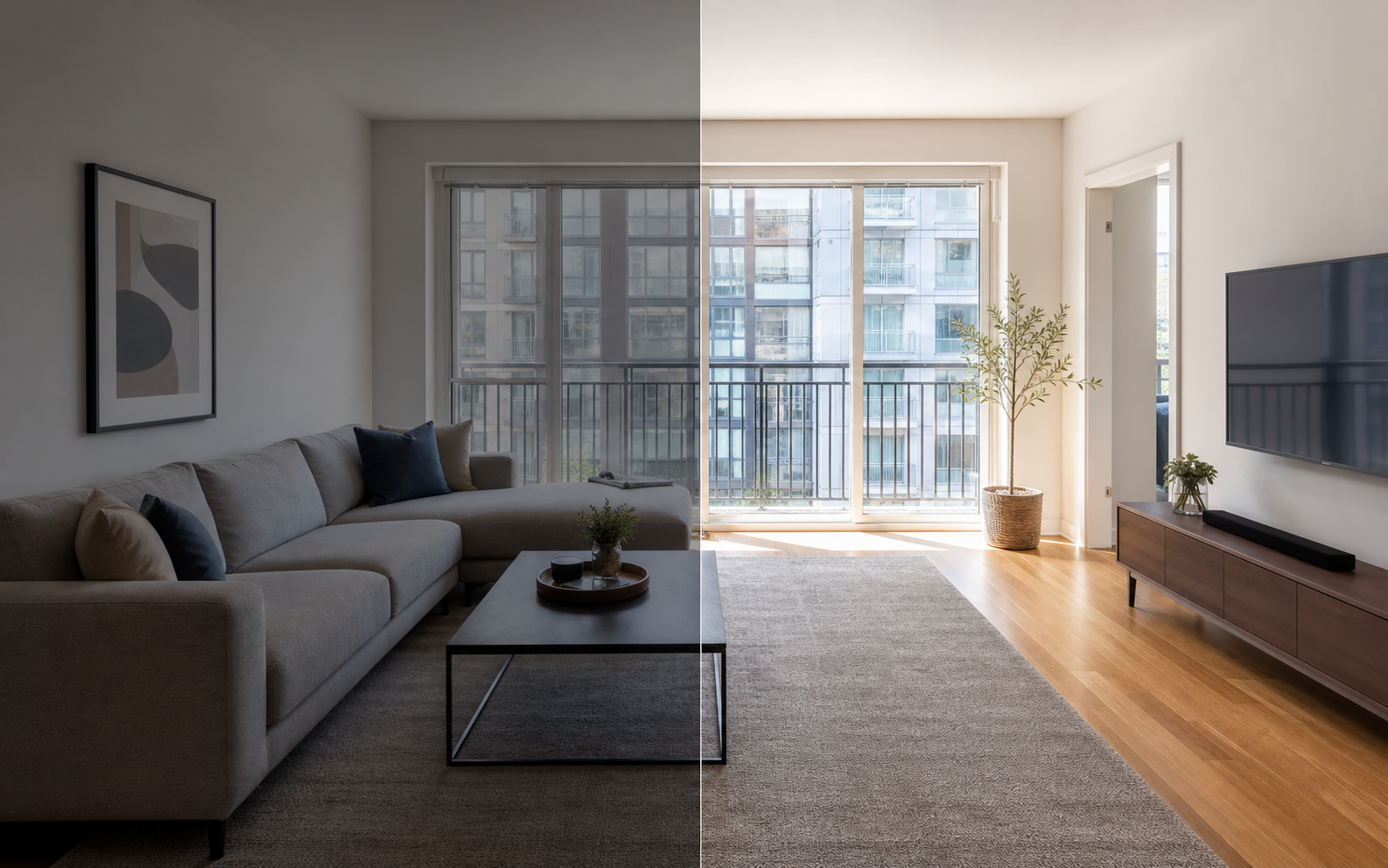
Order only works if the gallery reads as one coherent tour. When photos jump between warm and cool color casts, bright and dim exposures, or wide and cramped framing, viewers experience each image as a separate event and lose the thread of the walkthrough. Consistent brightness and color let people scan quickly, compare rooms fairly, and trust that no photo is hiding something. Inconsistency, by contrast, quietly suggests the flattering shots are the exception.
You can get most of the way there with basic corrections: matching exposure, fixing color casts, cropping to similar framing, and straightening verticals. Property Photo AI handles this kind of cleanup in touch-up mode while preserving the real layout, fixtures, and views, which keeps the polished gallery honest. Sequence first, then make the sequence look like it was shot in a single session.
FAQ
What is the best photo order for a rental property?
Lead with your strongest overall image, then show the living area, kitchen, primary bedroom, bathrooms, secondary bedrooms, amenities, outdoor space, exterior or entry, parking, and practical details like laundry. This mirrors how people mentally walk through a home and answers the biggest questions first.
Should photo order differ by platform?
Yes. Airbnb highlights the first five photos, Zillow notes kitchen or living-room shots often work well as the primary rental photo, and Craigslist galleries are simple enough that only the first few images matter. The principle is constant: strongest, most informative photos first.
Does the first photo really matter that much?
It carries the most weight. On most platforms the first photo is the search-result thumbnail, and it decides whether anyone clicks through to the rest. Choose a bright, landscape-oriented image that communicates the home's main appeal at small sizes.
Where should exterior photos go in the order?
For most rentals, after the interiors. An exterior shot rarely answers the questions renters ask first, unless curb appeal or the setting is the property's standout feature. An exception is a striking house, view, or waterfront location, which can earn the cover slot.
How do I reorder photos I have already uploaded?
Every major platform lets you drag or edit photo order after publishing, and Craigslist lets you edit a post to update its images. Reordering costs nothing and takes minutes, which makes it one of the highest-leverage listing improvements available.
How Property Photo AI helps
Property Photo AI helps landlords, Airbnb hosts, property managers, and real estate teams turn existing room photos into cleaner listing-ready images. It is built for realistic touch-ups: better light, color, crop, sharpness, and small-distraction cleanup without changing the actual room layout, fixtures, view, or condition.
Sources
- Airbnb Help Center: Taking great photos of your listing
- Airbnb Help Center: Setting up a photo tour for your home listing
- Airbnb Help Center: Add visual descriptions to photos in your listing
- Airbnb Help Center: Confirming photo accuracy for listings
- Airbnb Help Center: Offer for free Airbnb photography
- Google Business Profile
- Google Business Profile Help: Manage your hotel's details
- Booking.com Partner Hub: Understanding photo requirements for your property
- Booking.com Partner Hub: Improve visibility and ranking
- Vrbo Help: Photo guidelines
- Zillow Rental Manager Help: Photo Uploading Tips
- Zillow Rental Manager: Post a listing
- Zillow Rental Manager Help: Why is my primary photo different?
- Craigslist Help: Creating a posting
- Craigslist Help: Images
- Airbnb Help Center: Pricing your home listing
- Airbnb Help Center: Compare similar listings
- Airbnb Help Center: How search results work