
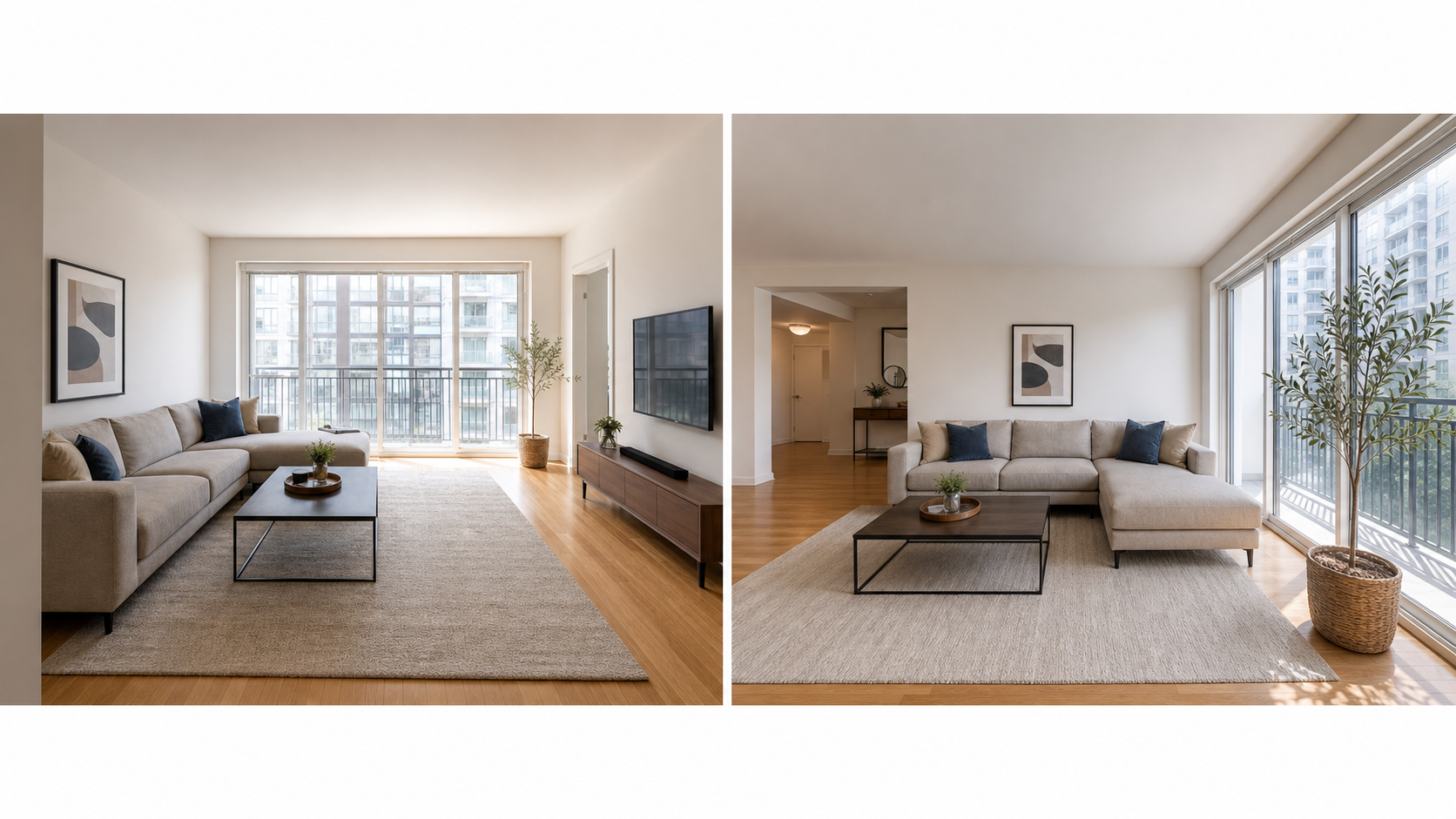
What is the best order for Airbnb listing photos?
The best photo order feels like a guided walkthrough led by someone who knows what guests worry about. Start with your strongest overall image as the cover, then use the next four photos to establish the core of the stay: main living area, primary bedroom, kitchen, bathroom, or the one differentiator guests book you for. After the first five, move through the remaining spaces in the order a guest would naturally explore them, and finish with details, exterior context, and neighborhood shots. The test of a good sequence is simple: someone scrolling at normal speed should be able to say where they will sleep, cook, wash, work, and relax without reading a word of the description. If they cannot, the order is making them work too hard.
What does Airbnb's photo tour expect from your gallery?
Airbnb's photo-tour guidance says each room or space should have at least one photo so it can appear in the photo tour, and it treats the first five photos as especially important because they are prominent on the listing. Room details can also clarify amenities and accessibility features. That framing matters: the gallery is not decoration, it is structured data about the stay. A missing bathroom photo is not just an aesthetic gap; it is a hole in the tour that guests notice and interpret. Airbnb also recommends landscape images of at least 1024x683 pixels and objective visual descriptions, which help guests using screen readers, guests on slow connections, and search engines trying to understand what each image shows. An ordered, complete, described gallery works harder in every one of those channels.
What does a high-converting photo order look like?
A high-converting order front-loads decisions and back-loads reassurance. The first five photos earn attention and establish the core rooms; the middle of the gallery completes coverage of every usable space; the end handles logistics like parking, building entry, and neighborhood context. Within that frame, lead each room with its best wide shot before any detail shots, so guests always know where they are in the tour.
| Position | What to show | Job it does |
|---|---|---|
| 1 | Strongest overall image | Wins the search click |
| 2 to 5 | Living area, primary bedroom, kitchen or bath, differentiator | Establishes the core stay |
| 6 to 12 | Remaining bedrooms, bathrooms, workspace, laundry | Completes room coverage |
| 13 to 18 | Amenities, outdoor space, details | Confirms filtered features |
| Last few | Exterior, parking, entry, neighborhood | Answers arrival logistics |
Why does photo order affect booking confidence?
Guests compare risk, not just beauty. When a gallery opens with a stunning living room but never clearly shows the bathroom, buries the second bedroom, or omits the building exterior, many guests assume the host is hiding weak spots, whether or not that is true. Order is how you prove there is nothing to hide: a logical sequence that visits every space signals a host who is organized and honest, which is exactly what a stranger booking a night in your home is trying to assess. Disordered galleries create a different kind of friction too. If a guest sees three sofa angles before any bedroom, they start wondering whether the bedroom is the problem. Sequence is cheap to fix and it changes the story your existing photos tell.
How do you reorder your photos, step by step?
Reordering is one of the few listing improvements that requires no new photos and no budget, only about twenty minutes and a guest's mindset. Work from the outside in: fix the first five, then the room-by-room flow, then the tail of the gallery.
- Open your listing in a private browser window and screenshot the current gallery order.
- Write the walkthrough a guest would want: living, sleeping, cooking, bathing, extras, logistics.
- Select your five strongest, most decision-relevant images for the top slots.
- Drag the remaining photos into walkthrough order, wide shot before detail shot for each room.
- Delete duplicates and near-identical angles that interrupt the flow.
- Confirm every bookable room and major amenity appears at least once.
- Rescan on your phone at scrolling speed and fix anything that feels out of place.
How do edits keep the photo sequence consistent?
A well-ordered gallery can still feel disjointed if the photos look like they came from three different cameras on three different days. Mismatched brightness, shifting color temperature, and crooked verticals make guests subtly less comfortable even when they cannot name the problem. Editing for consistency, matching exposure and white balance across rooms, leveling horizons, and cropping to a common feel, makes the walkthrough read as one coherent space. Property Photo AI is useful at this stage because its touch-up mode corrects lighting, color, crop, and sharpness while preserving the real layout, fixtures, and views, so the sequence gets cleaner without becoming less accurate. Keep the same rule you apply everywhere else: consistency edits are fine, but never use editing to make the floor plan feel different than it is.
Related guides: choosing the cover photo and the full pre-publish photo checklist.
FAQ
How many rooms should an Airbnb photo tour show?
Show every major room or space guests can use, with at least one clear photo for each important area. Airbnb's photo-tour guidance says each room or space needs at least one photo to appear in the photo tour.
Should amenities appear early in the photo order?
Important ones should. If an amenity like a pool, workspace, or view is a primary reason guests book, place it within the first five photos. Secondary amenities can follow the core rooms later in the gallery.
What should the first five Airbnb photos show?
Lead with your strongest overall image, then cover the main living area, primary bedroom, kitchen or bathroom, and your biggest differentiator. Airbnb's guidance treats the first five photos as especially important because they are prominent on the listing.
Does photo order really change bookings?
Order affects how quickly guests understand the stay, and confused guests tend to move on. A logical walkthrough sequence cannot rescue weak photos, but it helps strong photos convert by answering the guest's questions in the order they ask them.
How Property Photo AI helps
Property Photo AI helps landlords, Airbnb hosts, property managers, and real estate teams turn existing room photos into cleaner listing-ready images. It is built for realistic touch-ups: better light, color, crop, sharpness, and small-distraction cleanup without changing the actual room layout, fixtures, view, or condition.
Sources
- Airbnb Help Center: Taking great photos of your listing
- Airbnb Help Center: Setting up a photo tour for your home listing
- Airbnb Help Center: Add visual descriptions to photos in your listing
- Airbnb Help Center: Confirming photo accuracy for listings
- Airbnb Help Center: Offer for free Airbnb photography
- Google Business Profile
- Google Business Profile Help: Manage your hotel's details
- Booking.com Partner Hub: Understanding photo requirements for your property
- Booking.com Partner Hub: Improve visibility and ranking
- Vrbo Help: Photo guidelines
- Zillow Rental Manager Help: Photo Uploading Tips
- Zillow Rental Manager: Post a listing
- Zillow Rental Manager Help: Why is my primary photo different?
- Craigslist Help: Creating a posting
- Craigslist Help: Images
- Airbnb Help Center: Pricing your home listing
- Airbnb Help Center: Compare similar listings
- Airbnb Help Center: How search results work