
Is there a magic number of Airbnb photos?
No universal number works for every Airbnb. A studio can be fully explained in 15 photos, while a large house with a pool, yard, office, and four bedrooms may honestly need 35. The right count is the smallest complete gallery that removes guest uncertainty: every room shown, every filtered amenity proven, arrival and parking clear, and nothing left to guess about.
Platform guidance supports coverage over counting. Airbnb's photo-tour guidance suggests each room or space have at least one photo so it appears in the tour, Vrbo asks hosts to keep at least 6 photos published, and Booking.com suggests at least 10. Those are floors, not targets. For most whole-home listings, doing the coverage math lands somewhere between 20 and 35 images, which is why that range comes up so often.
How do you calculate the right count for your property?
Build the number from decisions, not from a quota. Start with one strong cover photo and four supporting first-page photos, since Airbnb treats the first five as especially important. Then add each bedroom, each bathroom, the kitchen, the living area, workspace, laundry, outdoor space, parking, and the entrance, plus one photo per major amenity guests filter for. The total that falls out of that list is your number, and it will be different for every property. A one-bedroom apartment might total 16; a four-bedroom house with a pool and game room might total 32. Both are correct because both are complete.
| Gallery segment | Photos | Notes |
|---|---|---|
| Cover and first five | 5 | Strongest shots; answer the biggest booking questions |
| Bedrooms | 1-2 each | Show the real bed setup in each room |
| Bathrooms | 1 each | Clean, bright, honest |
| Kitchen and living area | 2-4 total | Usable counter space and seating |
| Amenities | 1 per filtered feature | Pool, hot tub, workspace, laundry, pet area |
| Arrival and exterior | 2-3 | Entrance, parking, building or house front |
When should you add more photos?
Add a photo whenever it proves something guests actually care about and cannot see yet. Good reasons include bed size, blackout curtains, a crib, a real desk and chair, a hot tub, a step-free entrance, the view from a specific window, cookware, the parking spot, or a fenced pet area. Airbnb's guidance also encourages highlighting unique amenities and accessibility features, and guests can filter searches by amenities, so a photo behind each checked box directly supports the claims your listing makes.
The test for any additional image is the question it answers. "Does the kitchen have enough counter space to cook?" earns a photo. "Here is a fourth angle of the sofa" does not. Detail shots work when they resolve doubt, not when they decorate the gallery.
When should you cut photos?
Cut anything that adds scrolling without adding information. The usual offenders are blurry or dim frames, repeated angles of the same room, vertical shots that crop badly in Airbnb's landscape search display, close-ups without context, and anything outdated or misleading. A padded gallery is not harmless: weak images sit next to strong ones and pull down the impression of the whole listing, and guests who have to swipe through repetition start skimming right past the photos that matter.
More photos should mean more confidence, not more work for the guest. If two images make the same point, keep the better one. If a photo no longer matches the property, removing it is a trust decision, not a housekeeping one.
How do you audit your current photo count?
Audit the gallery you have before shooting anything new; the exercise takes about twenty minutes and usually improves a listing more than adding photos would. The method is a simple mapping: list what a guest needs to see, match each existing photo to one item on that list, and act on the mismatches. Photos that map to nothing get cut, list items with no photo become your shoot list, and the survivors get reordered so the strongest answers come first. Most hosts who do this discover both problems at once, a padded middle full of repeats and one or two rooms with no coverage at all, which is exactly the combination that makes galleries feel long yet incomplete.
- List every room, amenity, and arrival detail a guest would ask about.
- Map each existing photo to one item on that list.
- Delete photos that map to nothing or duplicate a stronger image.
- Note gaps: any room or filtered amenity with no photo goes on the shoot list.
- Shoot or edit to fill the gaps, one or two frames per item.
- Reorder so the first five photos answer the biggest booking questions.
- Scroll the result on a phone and cut anything you skim past yourself.
For sequencing the survivors, see rental property photo order and the Airbnb photo checklist for coverage.
Does photo quality matter more than photo count?
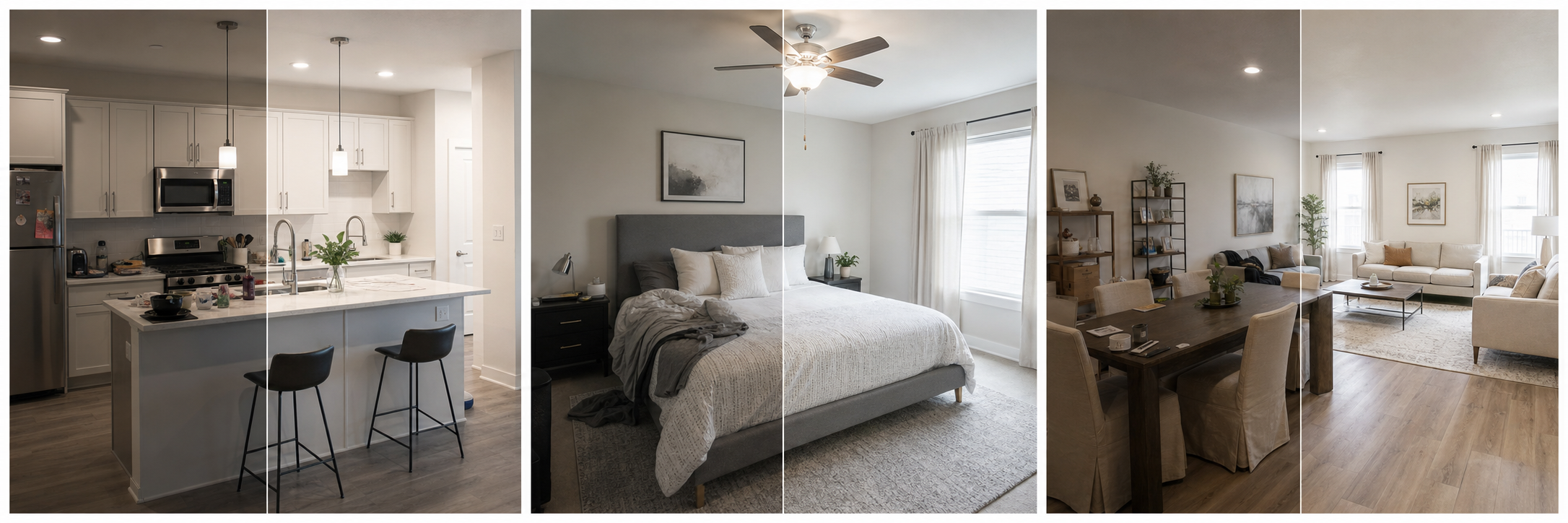
Yes, and it is not close. Twenty sharp, bright, honest photos will outperform forty inconsistent ones, because guests judge the property by the average image, not the best one. Once coverage is complete, the highest-leverage work is quality: consistent exposure and color across rooms, straight verticals, daylight, and landscape framing at Airbnb's recommended 1024x683 pixels or larger.
Editing is the cheap way to raise that average. Brightening dim rooms, correcting color casts, cropping distractions, and sharpening soft frames are routine corrections that keep photos accurate while making the gallery feel professionally shot. Property Photo AI does this in touch-up mode while preserving the real layout, fixtures, and views, so a mixed-quality gallery can be made consistent for a few dollars; uploads are free and one credit equals one finished photo. Count gets a guest through the gallery, but quality is what convinces them to book.
FAQ
How many photos does an Airbnb listing need?
Use enough photos to show every room, key amenity, arrival context, and sleeping setup. For many homes that means roughly 20 to 35 useful photos rather than a fixed magic number. A studio may need fewer; a large house with a pool and several bedrooms needs more.
Can an Airbnb listing have too many photos?
Yes. Repetitive angles, blurry frames, and context-free close-ups make the gallery harder to scan and dilute your strongest images. Every photo should answer a guest question; if you cannot say what a photo proves, cut it.
Is there a minimum photo count on booking platforms?
Requirements vary. Vrbo asks partners to keep at least 6 photos published, and Booking.com suggests at least 10. Airbnb's guidance focuses less on a count and more on coverage: each room or space should have at least one photo to appear in the photo tour.
Do more photos improve Airbnb search ranking?
There is no verified formula tying photo count to ranking. What photos reliably affect is guest behavior: complete, clear galleries tend to build the confidence that produces clicks and bookings. Aim for completeness and quality rather than padding the gallery to hit a number.
How many photos should each room get?
One or two is usually right: a wide shot that shows the whole space, plus a second angle or detail only when it explains layout or proves something guests care about, like bed size or desk space. Third and fourth angles of the same room rarely add information.
How Property Photo AI helps
Property Photo AI helps landlords, Airbnb hosts, property managers, and real estate teams turn existing room photos into cleaner listing-ready images. It is built for realistic touch-ups: better light, color, crop, sharpness, and small-distraction cleanup without changing the actual room layout, fixtures, view, or condition.
Sources
- Airbnb Help Center: Taking great photos of your listing
- Airbnb Help Center: Setting up a photo tour for your home listing
- Airbnb Help Center: Add visual descriptions to photos in your listing
- Airbnb Help Center: Confirming photo accuracy for listings
- Airbnb Help Center: Offer for free Airbnb photography
- Google Business Profile
- Google Business Profile Help: Manage your hotel's details
- Booking.com Partner Hub: Understanding photo requirements for your property
- Booking.com Partner Hub: Improve visibility and ranking
- Vrbo Help: Photo guidelines
- Zillow Rental Manager Help: Photo Uploading Tips
- Zillow Rental Manager: Post a listing
- Zillow Rental Manager Help: Why is my primary photo different?
- Craigslist Help: Creating a posting
- Craigslist Help: Images
- Airbnb Help Center: Pricing your home listing
- Airbnb Help Center: Compare similar listings
- Airbnb Help Center: How search results work