
What photos should a hotel listing include?
A hotel listing should photograph everything a guest can book or use: exterior and arrival, lobby, every room type with its bathroom, dining, and each amenity from pool to parking. Travelers compare hotels quickly across Google, booking sites, maps, and metasearch, and the gallery is usually the first thing they scan. If a space is missing from the photos, most shoppers assume it is either unremarkable or worse than described.
The organizing principle is the guest decision, not the marketing department. A traveler is asking three questions in order: what will my room actually be like, what does the property offer beyond the room, and does this place look current and cared for. A complete, recent, well-ordered gallery answers all three before the guest reads a single review.
Which photos matter most on Google and booking sites?
Room and bathroom photos matter most, because they answer the one question the traveler cannot verify any other way before arriving. Exterior and lobby shots set context, but shoppers make the stay-or-skip call on the room they will actually sleep in. Platforms surface photos alongside rates, reviews, and amenity lists, so photos work best as proof of what the text claims rather than as decoration. Booking.com's partner guidance asks for high-resolution images of at least 2048x1080 pixels, preferably around 4000x3000, and suggests at least 10 photos; large files also hold up better when platforms crop them into search tiles and map cards.
| Area | Minimum shots | What the photo must prove |
|---|---|---|
| Exterior and arrival | 1 to 2 | Curb appeal, entrance, how check-in starts |
| Each room type | 2 to 3 | Bed setup, space, light, condition |
| Bathrooms | 1 per room type | Cleanliness, shower or tub, fixtures |
| Dining and breakfast | 1 to 2 | What food service really looks like |
| Pool, gym, spa | 1 each | Size and condition, not just existence |
| Meetings and parking | 1 each | Capacity and access for planners and drivers |
How should you photograph room types and bathrooms?
Photograph each bookable room type separately, from the doorway or corner that best explains the layout, in landscape orientation with daylight where possible. The photo a guest sees must match the category they book: showing only the renovated corner suite while selling standard rooms is the fastest route to bad reviews. For each type, capture the bed wall, a second angle showing space and window light, and the bathroom. Bathrooms deserve real effort because they are the most-inspected photo in the gallery; shoot them with lights on, mirrors wiped, towels fresh, and toilet lids down. Keep vertical lines straight and avoid extreme wide-angle lenses that inflate square footage, since inflated rooms disappoint in person and disappointment is what guests write reviews about.
How do you show amenities as proof rather than decoration?
Amenity photos should function as evidence. Guests filter and compare on breakfast, pool, fitness, parking, and workspace, and a photo confirms the amenity is real, current, and worth using. Shoot the pool at its actual size from a truthful angle, the gym showing the real equipment, the breakfast area with actual service items, and the parking situation drivers will face. Include accessibility-relevant features such as step-free entrances, elevators, and accessible rooms, since those photos directly determine whether some travelers can book at all. Avoid stock-style shots that could belong to any hotel; a slightly plain but clearly real amenity photo builds more booking confidence than a glossy generic one, because travelers have learned to discount images that look like advertising.
How do you keep a hotel photo gallery current?
Keep hotel photos current by treating the gallery as inventory that expires: audit it against a physical walk-through at least once a year, and immediately after any renovation, rebrand, or amenity change. Photos age out whenever the property changes, and stale galleries quietly create the expectation gaps that surface in reviews as this place looks nothing like the pictures. The audit does not require reshooting everything; most annual updates touch a handful of frames. What matters is that someone owns the job, because photo drift is gradual and invisible from the inside. Staff stop noticing that the lobby furniture changed or the restaurant was reconcepted, while a first-time guest comparing photos to reality notices instantly. A simple recurring calendar entry and the checklist below keep the problem from ever compounding.
- Audit the full gallery at least once a year against a walk-through of the property.
- Flag every photo showing anything renovated, rebranded, replaced, or removed.
- Reshoot flagged spaces in daylight using the shot list above.
- Add photos for any new amenity, room category, or seasonal offering.
- Remove duplicates, dark frames, and anything guests would not recognize on arrival.
- Reorder so the strongest current room and exterior photos lead on every platform.
- Push the updated set to Google, booking sites, and your own website in the same week.
Can you use AI editing on hotel photos safely?
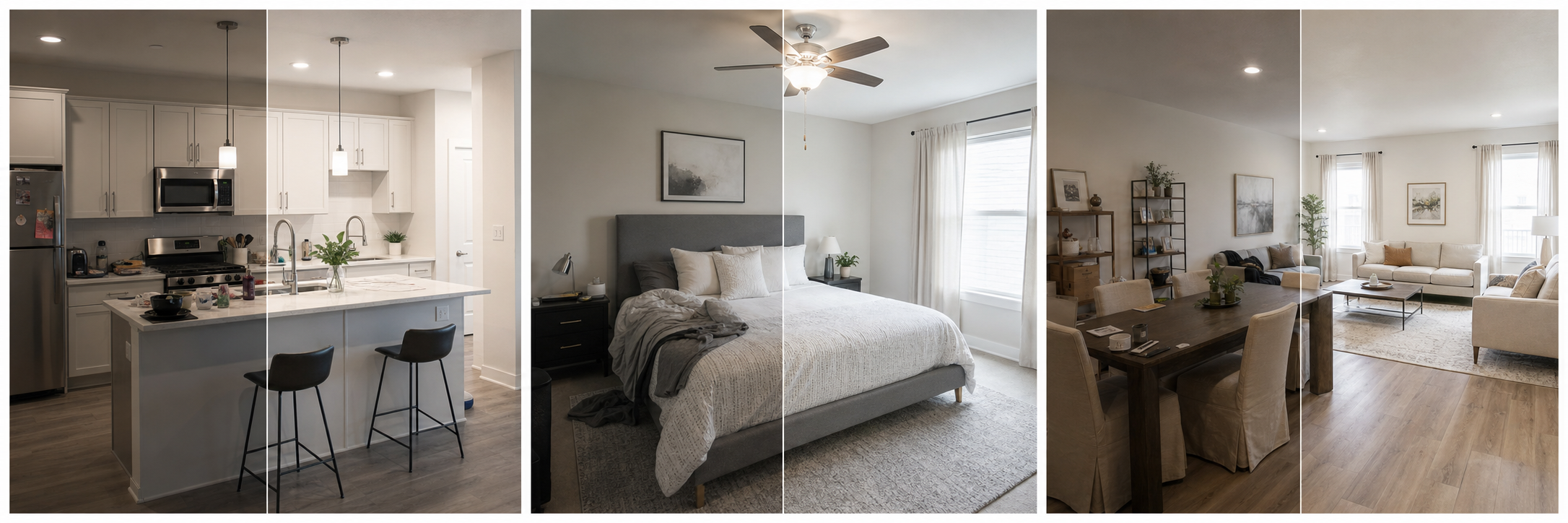
Yes, if the edits stay in the correction lane. Brightness, white balance, cropping, straightening, sharpening, and making fifty photos from different shoots look like one consistent gallery are all routine and safe. Property Photo AI handles this kind of touch-up while preserving real layout, fixtures, and views, which suits hotels needing consistency across many rooms without a full reshoot. What is not safe: erasing permanent wear, adding amenities that do not exist, altering the view from a window, or upgrading a standard room until it reads as a suite. Hotels live and die on the gap between photos and arrival, and every dishonest pixel eventually becomes a review.
For the room-level fundamentals, the same rules from bathroom photos guests trust and lighting for property photos apply directly to hotels.
FAQ
What photos should a hotel listing include?
Include the exterior, entry, lobby, every bookable room type, bathrooms, dining and breakfast, pool, fitness center, meeting spaces, parking, and accessibility-relevant areas. Every space a guest can use or book deserves at least one clear, current photo.
How many photos does a hotel listing need?
Booking.com's partner guidance suggests at least 10 photos, and most hotels need considerably more to cover every room type and amenity. Completeness matters more than a fixed number: a traveler should be able to preview their entire stay from the gallery.
What resolution should hotel listing photos be?
Booking.com asks partners for high-resolution photos of at least 2048x1080 pixels and prefers around 4000x3000. Shooting at high resolution also keeps your images sharp on Google and metasearch surfaces, which crop and resize photos aggressively for search tiles and map cards.
How often should hotel photos be refreshed?
Refresh photos after renovations, amenity changes, room updates, or rebranding, and review the gallery at least yearly. Outdated photos create expectation gaps that show up directly in reviews, so treat the gallery as living inventory rather than a one-time project.
Can hotels use AI to edit listing photos?
Yes, for routine corrections like brightness, color, cropping, and gallery consistency. Hotels should not use AI to remove permanent wear, invent amenities, alter views, or make rooms look like a category guests cannot book. Photo accuracy drives review scores and refund disputes.
How Property Photo AI helps
Property Photo AI helps landlords, Airbnb hosts, property managers, and real estate teams turn existing room photos into cleaner listing-ready images. It is built for realistic touch-ups: better light, color, crop, sharpness, and small-distraction cleanup without changing the actual room layout, fixtures, view, or condition.
Sources
- Airbnb Help Center: Taking great photos of your listing
- Airbnb Help Center: Setting up a photo tour for your home listing
- Airbnb Help Center: Add visual descriptions to photos in your listing
- Airbnb Help Center: Confirming photo accuracy for listings
- Airbnb Help Center: Offer for free Airbnb photography
- Google Business Profile
- Google Business Profile Help: Manage your hotel's details
- Booking.com Partner Hub: Understanding photo requirements for your property
- Booking.com Partner Hub: Improve visibility and ranking
- Vrbo Help: Photo guidelines
- Zillow Rental Manager Help: Photo Uploading Tips
- Zillow Rental Manager: Post a listing
- Zillow Rental Manager Help: Why is my primary photo different?
- Craigslist Help: Creating a posting
- Craigslist Help: Images
- Airbnb Help Center: Pricing your home listing
- Airbnb Help Center: Compare similar listings
- Airbnb Help Center: How search results work