
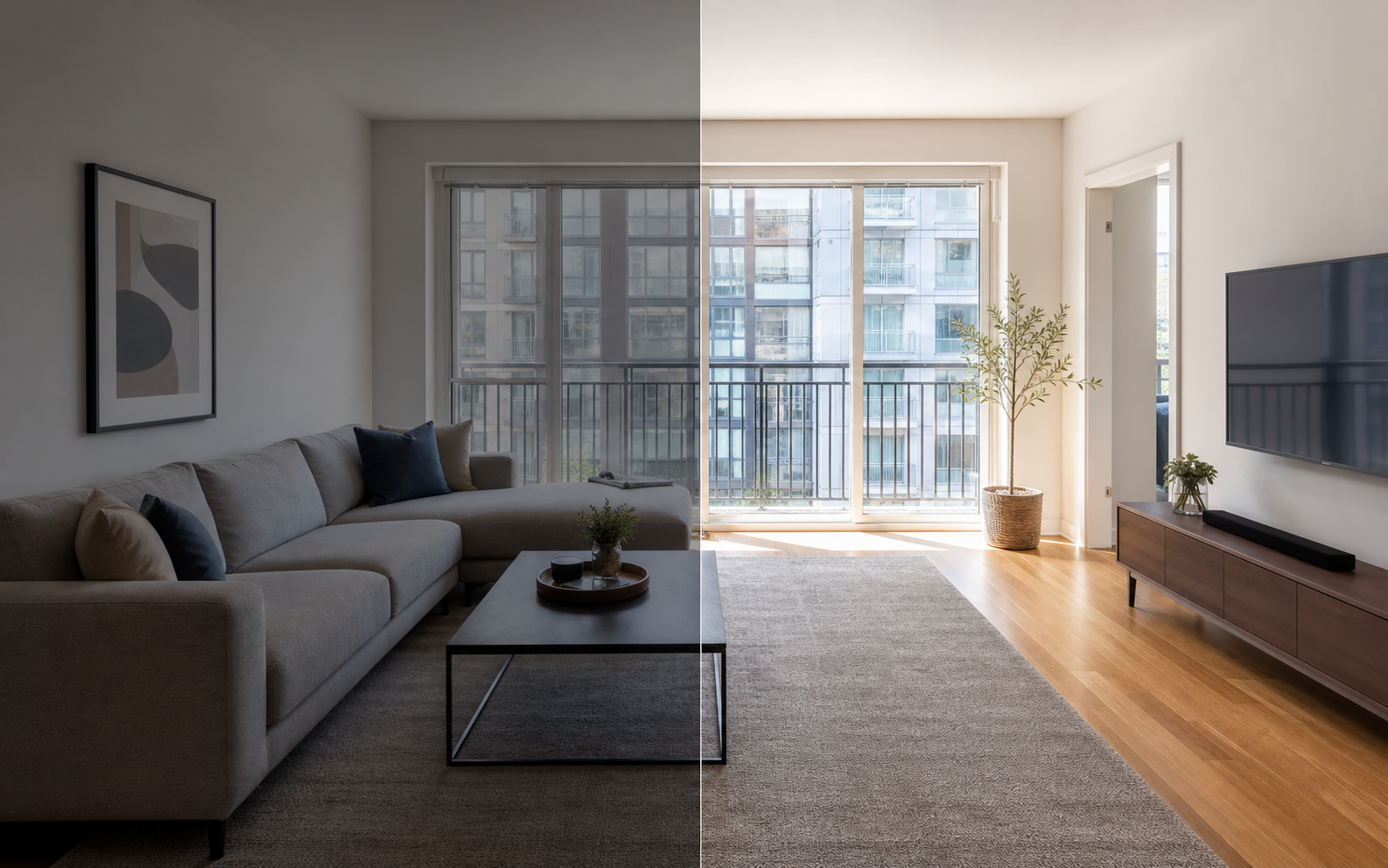
Do better photos actually improve your booking rate?
Better Airbnb photos tend to improve booking rate by reducing uncertainty, not by working magic. A guest scanning search results is deciding three things quickly: whether the stay fits their trip, whether it is worth the price, and whether the host is presenting the space honestly. Clear, bright, complete photos answer those questions before the guest reads a single line of the description. Dark, cluttered, or incomplete photos force guests to guess, and guests who have to guess usually keep scrolling to a listing that makes the decision easier. There is no fixed percentage lift you can promise yourself, because price, location, reviews, and calendar availability all matter too. But among the levers a host fully controls, the photo set is one of the cheapest and fastest to improve.
Why do photos affect booking decisions on Airbnb?
Photos shape both the first click and the final decision. Airbnb's host guidance recommends landscape images of at least 1024x683 pixels, a clean and clutter-free space, and daylight, and its photo-tour guidance says the first five photos are especially important because they are prominent on the listing. Search-result photos display in landscape, so the cover image is doing the heaviest lifting of all. Once a guest opens the listing, the gallery becomes a substitute for a walkthrough: it is how they check the bedroom, the bathroom, the kitchen, and the amenities they filtered for. If any of those photos are missing, vertical, blurry, or misleading, the guest has to work harder to trust the listing, and many will not bother.
What jobs do good photos do for conversion?
Good photos do three distinct jobs: they earn the click in search, they explain the stay quickly, and they remove specific objections that block a booking. Each strong image answers a question a nervous guest is silently asking. A bright living room says the space is pleasant to spend time in. An accurate bedroom photo confirms the sleeping setup. A clean bathroom photo removes hygiene doubt, and a clear kitchen shot tells self-catering guests they can actually cook. Thinking of photos as objection-removers makes it obvious which shots your gallery is missing.
| Photo | Guest question it answers | Objection it removes |
|---|---|---|
| Cover photo | Is this worth a click? | Not worth my time |
| Bedroom | Where exactly will I sleep? | Unclear sleeping setup |
| Bathroom | Is it clean and modern enough? | Hygiene doubt |
| Kitchen | Can I cook here? | Hidden limitations |
| Amenity shots | Is the filter checkbox real? | Overpromised features |
How can you improve photos without misleading guests?
Edit for clarity, not fantasy. Improving brightness, white balance, crop, straightening, and sharpness is normal presentation work, the photo equivalent of tidying before a viewing. What crosses the line is any edit that changes what the guest will actually get: enlarging rooms, inventing views, removing permanent defects, or adding furniture and amenities that do not exist. Airbnb emphasizes photo accuracy, and guests punish surprise with bad reviews far more reliably than they reward pretty pictures with bookings. The working test is simple: would the edited photo still feel fair to a guest standing in the room? If yes, the edit supports conversion. If it would create a gap between the photo and the arrival, it is borrowing bookings from your future review score.
For a deeper look at where the honesty line sits, see how accurate photos build guest trust and the disclosure-safe enhancement checklist.
What should hosts fix first for a better booking rate?
Work top of funnel first, because that is where the most guests drop off. The cover photo affects everyone who sees you in search; a weak photo of the spare bedroom affects only guests who scroll that far. After the cover and the first five images, close coverage gaps so every major room and bookable amenity has at least one clear photo, then fix quality problems like darkness and blur, and finish with ordering and descriptions.
- Replace the cover photo with a bright, landscape shot of your strongest space, checked at thumbnail size.
- Choose the next four photos deliberately: living area, bedroom, bathroom or kitchen, and your biggest differentiator.
- Add a clear photo of any major room or amenity that is currently missing.
- Reshoot or brighten any dark, blurry, or vertical images.
- Remove duplicates and near-identical angles that pad the gallery.
- Order the rest like a walkthrough, from main spaces to details.
- Add objective visual descriptions so screen-reader users and search engines get context.
Where does photo editing fit into a host's workflow?
Editing is the step between a decent phone shoot and a gallery that competes with professionally photographed listings. Most hosts do not need new furniture or a new camera; they need consistent exposure, natural color, level horizons, and fewer small distractions. A tool like Property Photo AI handles that kind of realistic touch-up, keeping the real layout, fixtures, and views intact while fixing lighting, color, crop, and clutter, and it can generate additional listing-style angles from your real reference photos when the gallery feels thin. Uploads are free and one credit produces one finished photo, so it fits an afternoon refresh rather than a photography budget. Whatever tool you use, hold every result to the same standard: the photo should make the real stay easier to evaluate, not different from reality.
FAQ
Do better Airbnb photos guarantee more bookings?
No. Photos can improve guest confidence and listing presentation, but bookings also depend on price, location, reviews, availability, and demand. Photos are the part of the funnel you control most directly, and improving them tends to remove friction rather than guarantee results.
What should hosts improve first?
Start with the cover photo and the first five images, since Airbnb's photo-tour guidance treats them as especially important. Then confirm every major room has at least one clear photo, fix dark or blurry shots, and keep edits honest.
Are edited photos allowed on Airbnb?
Routine corrections such as brightness, color, cropping, straightening, and sharpening are normal listing practice. Airbnb emphasizes photo accuracy, so avoid edits that add or remove real features, exaggerate space, or change what a guest will actually find on arrival.
What photo size does Airbnb recommend?
Airbnb's host guidance recommends landscape photos of at least 1024x683 pixels, and bigger is better. Search-result photos display in landscape, so a strong horizontal cover image is more useful than a vertical one at thumbnail size.
How Property Photo AI helps
Property Photo AI helps landlords, Airbnb hosts, property managers, and real estate teams turn existing room photos into cleaner listing-ready images. It is built for realistic touch-ups: better light, color, crop, sharpness, and small-distraction cleanup without changing the actual room layout, fixtures, view, or condition.
Sources
- Airbnb Help Center: Taking great photos of your listing
- Airbnb Help Center: Setting up a photo tour for your home listing
- Airbnb Help Center: Add visual descriptions to photos in your listing
- Airbnb Help Center: Confirming photo accuracy for listings
- Airbnb Help Center: Offer for free Airbnb photography
- Google Business Profile
- Google Business Profile Help: Manage your hotel's details
- Booking.com Partner Hub: Understanding photo requirements for your property
- Booking.com Partner Hub: Improve visibility and ranking
- Vrbo Help: Photo guidelines
- Zillow Rental Manager Help: Photo Uploading Tips
- Zillow Rental Manager: Post a listing
- Zillow Rental Manager Help: Why is my primary photo different?
- Craigslist Help: Creating a posting
- Craigslist Help: Images
- Airbnb Help Center: Pricing your home listing
- Airbnb Help Center: Compare similar listings
- Airbnb Help Center: How search results work