
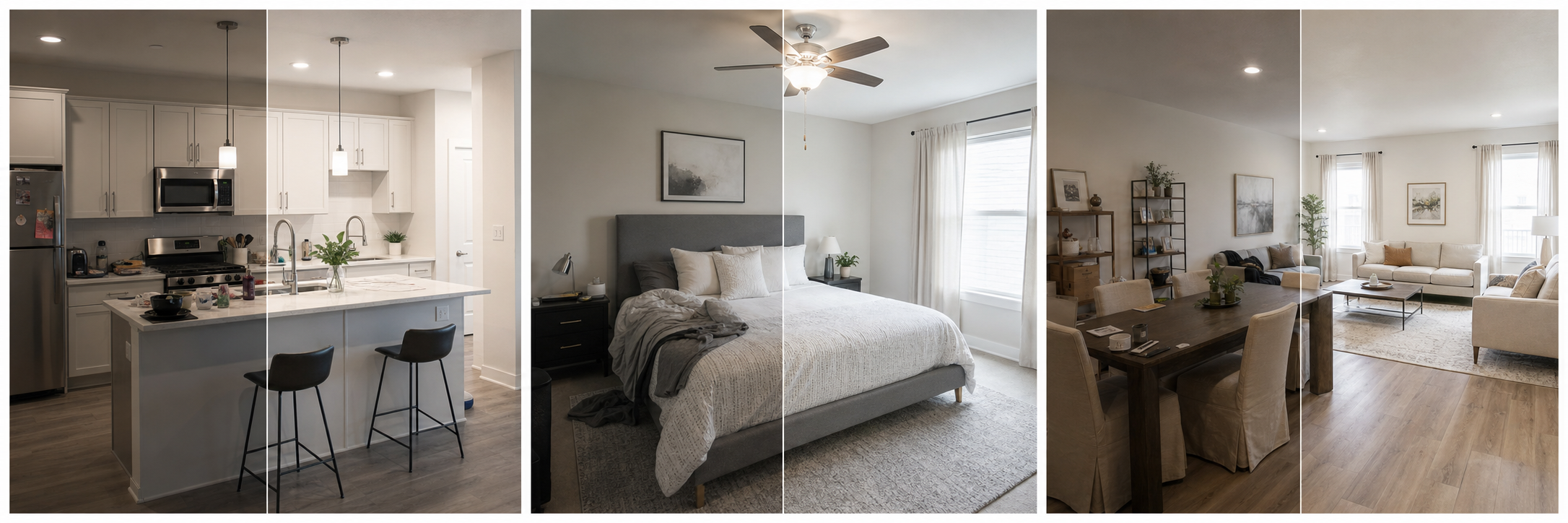
What do guests look for in Airbnb bedroom photos?
Guests read bedroom photos for confidence, not decor. Before booking, they are answering practical questions: where will each person sleep, what size is the bed, how much floor and storage space exists, does the room feel private, and will they be able to sleep well there. A bedroom photo that answers those questions does more for bookings than a stylized shot that answers none of them.
This is why complete, honest bedroom coverage matters more than perfection. Airbnb's photo-tour guidance expects each room or space to have at least one photo, and for group and family listings the bedroom set is often the deciding factor, because someone in the group is being assigned each of those beds. Show every sleeping space clearly and you remove the biggest source of pre-booking hesitation.
What angles show a bedroom best?
Start from the doorway at chest height with a landscape frame, because that is the view guests will actually have when they walk in, and Airbnb recommends landscape photos of at least 1024x683 pixels since search results display in landscape. This one shot should capture the bed, the walkable area, at least one window, and the nightstands. Then add a second angle from the opposite corner if the room has a feature the first shot misses, such as a workspace, a second bed, or a view. Keep vertical lines straight and resist heavy wide-angle lenses: distortion that stretches a room reads as dishonest the moment a guest steps inside, and Airbnb's guidance emphasizes that guests should get what the photos promise.
What practical details should bedroom photos include?
Beyond the wide shot, photograph the details that answer specific traveler questions, because different guests are scanning for different things. A remote worker wants the desk and outlets; parents want the crib and blackout curtains; a group wants to count real beds. Match your detail shots to the guests your listing attracts.
| Guest type | Bedroom details to photograph |
|---|---|
| Couples | Bed size, bedding quality, blackout curtains, lamps |
| Families | Crib or toddler bed, second bedroom setup, floor space |
| Groups | Every bed in every room, sofa beds shown as beds |
| Remote workers | Desk, chair, outlets near the bed, reading light |
| Longer stays | Closet interior, drawers, luggage space, fan or AC unit |
How do you prepare a bedroom before shooting?
Preparation is most of the result. The room in the photo should look exactly like the room a guest walks into on check-in day, arrival-ready rather than lived-in.
- Make the bed tightly and smooth the duvet; wrinkled bedding dominates a bedroom photo.
- Clear nightstands down to a lamp and at most one object.
- Remove personal items, chargers, laundry, and anything that will not be present for guests.
- Open blinds and curtains fully and turn on lamps to balance the light.
- Straighten wall art, align pillows, and check the floor for stray items.
- Shoot at the brightest time of day for that room's window direction.
- Walk the frame edges before shooting: closet doors closed, cords hidden, mirror reflections checked.
How do you photograph a small bedroom honestly?
Show a small bedroom clearly instead of pretending it is large. Shoot from the doorway to capture the maximum honest depth, keep the frame level, and let the photo state the real walkable space around the bed. Skip mirror tricks and extreme wide angles that stretch the room, and consider pairing the photo with an objective visual description, which Airbnb notes also helps guests using screen readers and gives search engines image context. A guest who books a small room knowingly reviews it well; a guest who feels tricked reviews the whole listing badly. Small rooms are not a booking problem when the price, the description, and the photos all agree.
There is a full guide to this in photographing small Airbnb spaces.
How should you edit bedroom photos?
Edit for sleep confidence: correct dim exposure, remove yellow color casts from warm lamps, straighten verticals, and sharpen slightly so bedding and finishes read clearly. Those are routine corrections that make the real room easier to evaluate. Keep the bedding, window count, floor space, and fixtures exactly as they are, and never edit in items that will not be in the room. Property Photo AI's touch-up mode is built for this boundary, brightening and color-correcting bedroom shots while preserving the real layout and fixtures, and its new-angle mode can generate an additional plausible view from your real reference photos when one angle cannot show the whole room.
Once the bedroom set is done, check where it belongs in the gallery with the photo tour order guide.
FAQ
What should an Airbnb bedroom photo show?
The bed and its size, the room layout and walkable space, windows and natural light, nightstands and outlets, closet or luggage storage, and any desk, crib, or extra sleeping setup. Guests are checking whether the room fits their group and their sleep needs.
Should every bedroom in the listing be photographed?
Yes. Airbnb's photo-tour guidance expects each room or space to have at least one photo, and guests need to understand every sleeping space they may use. This matters most for family and group listings where beds get assigned before arrival.
How many photos does each bedroom need?
Usually two or three: one wide shot showing the bed and layout, one detail shot of storage or workspace, and one of anything guests ask about, such as blackout curtains or a crib. More than four per bedroom starts to pad the gallery.
How do I photograph a small bedroom without lying?
Shoot from the doorway at chest height with a landscape frame, keep vertical lines straight, and avoid extreme wide-angle distortion. Show the real walkable space. A small room shown clearly books better than a small room disguised as large and reviewed as cramped.
Can I edit bedroom photos before uploading?
Yes, for routine corrections: brighten dim rooms, fix color casts, straighten lines, and sharpen. Keep bedding, window count, floor space, and fixtures accurate, and never stage or add items guests will not find in the room on arrival.
How Property Photo AI helps
Property Photo AI helps landlords, Airbnb hosts, property managers, and real estate teams turn existing room photos into cleaner listing-ready images. It is built for realistic touch-ups: better light, color, crop, sharpness, and small-distraction cleanup without changing the actual room layout, fixtures, view, or condition.
Sources
- Airbnb Help Center: Taking great photos of your listing
- Airbnb Help Center: Setting up a photo tour for your home listing
- Airbnb Help Center: Add visual descriptions to photos in your listing
- Airbnb Help Center: Confirming photo accuracy for listings
- Airbnb Help Center: Offer for free Airbnb photography
- Google Business Profile
- Google Business Profile Help: Manage your hotel's details
- Booking.com Partner Hub: Understanding photo requirements for your property
- Booking.com Partner Hub: Improve visibility and ranking
- Vrbo Help: Photo guidelines
- Zillow Rental Manager Help: Photo Uploading Tips
- Zillow Rental Manager: Post a listing
- Zillow Rental Manager Help: Why is my primary photo different?
- Craigslist Help: Creating a posting
- Craigslist Help: Images
- Airbnb Help Center: Pricing your home listing
- Airbnb Help Center: Compare similar listings
- Airbnb Help Center: How search results work