
How much rent can you charge for an Airbnb listing?
You can charge whatever comparable listings in your area support for the same dates, adjusted for what your place genuinely offers. There is no universal formula: the right nightly rate for a two-bedroom near a convention center on an event weekend has almost nothing to do with the right rate for the same floor plan in a quiet suburb in the off-season. Start with comps, not with your mortgage payment or your gut feeling.
The workable approach has three parts. First, find nearby listings that match your guest count, bedroom count, quality level, and amenities, and note what they charge on the dates you care about. Second, adjust up or down for real differences such as reviews, parking, workspace, view, or flexible cancellation. Third, make sure your photos prove the value you are charging for, because guests will not pay for amenities they cannot see.
How do you find comparable Airbnb listings?
Search Airbnb the way a guest would: enter your location, your maximum guest count, and specific dates, then filter to listings that match your bedroom count and key amenities. Airbnb also provides similar-listing comparison tools that show nearby booked and available prices, which is useful because a listed price that never books tells you very little. Focus on listings that actually fill their calendars.
- Search your neighborhood for the same guest and bedroom count on real target dates.
- Filter by your most important amenities, such as parking, kitchen, or workspace, since guests can filter by amenities too.
- Shortlist five to ten listings at a similar quality level, judged by photos and reviews.
- Note nightly rates, cleaning fees, and total price for a typical stay length.
- Check their calendars: heavily booked comps set the floor, empty ones set a warning.
- Repeat for a weekend, a weekday, and a peak date so you see the range, not one number.
What factors move an Airbnb nightly rate up or down?
Location, sleeping capacity, and dates set the baseline, but plenty of other factors shift what guests will pay against that baseline. Reviews and rating history matter because they reduce perceived risk. Amenities matter when guests can filter for them and see them in photos. Rules and cancellation flexibility matter because strict terms shrink your pool of willing bookers. The table below summarizes the usual direction of each factor.
| Factor | Typical effect on rate |
|---|---|
| Peak dates, events, holidays | Supports a higher rate |
| Strong reviews and rating history | Supports a higher rate |
| Visible amenities: parking, workspace, view, outdoor space | Supports a higher rate if photographed |
| Few or no reviews yet | Usually requires a lower launch rate |
| Strict rules or cancellation terms | Pushes the rate down |
| Weak, dark, or incomplete photos | Pushes the bookable rate down |
How do fees and total price affect what you can charge?
Guests compare stays by total price, not by nightly rate alone. A listing at a modest nightly rate with a large cleaning fee can cost more for a two-night stay than a pricier neighbor with no fee, and guests notice. When you compare comps, always compute the full cost of a typical stay length, then position your own total inside that range. If your cleaning fee is genuinely high because of the property size, consider folding part of it into the nightly rate so short stays do not look punitive. The goal is a total price that feels coherent with what the photos and reviews promise.
Can better photos support a higher nightly rate?
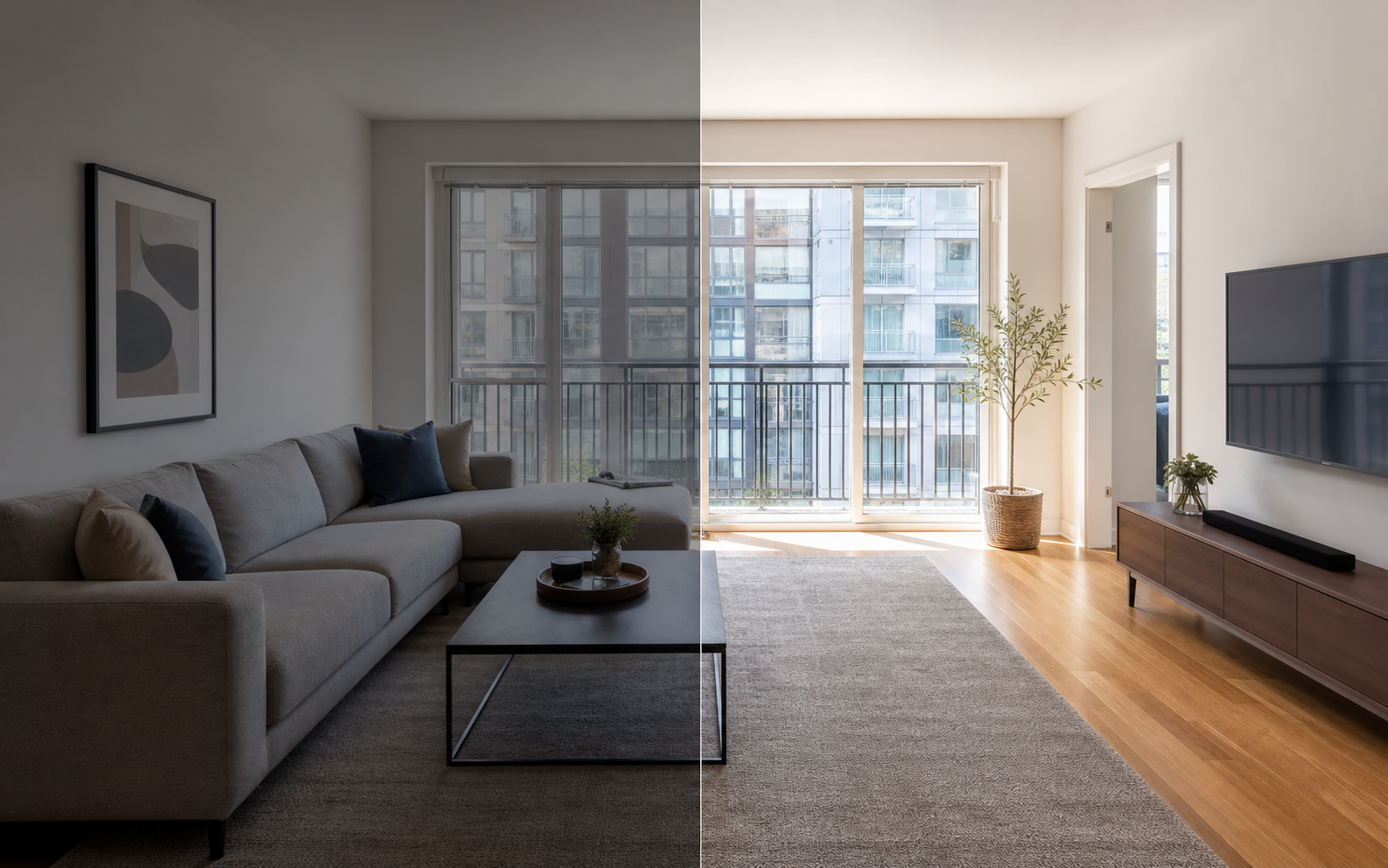
Photos cannot set your price, but they decide whether your price feels justified. If your listing has a workspace, a view, parking, a real kitchen, premium bedding, or a walkable location, the photos need to prove each of those things, because unshown value is usually unpriced value. Airbnb's host guidance emphasizes clean, clutter-free spaces shot in daylight and highlighting unique amenities, and Airbnb has described professional photography as a potential driver of higher earnings in a limited program context. You do not need a pro shoot to get most of that benefit: honest corrections to lighting, color, and framing go a long way. Property Photo AI handles that kind of touch-up from your existing photos while preserving the real layout, fixtures, and views, so the gallery supports the rate without overselling the space.
For more on how gallery quality interacts with pricing, see how photos build pricing confidence and whether better photos improve booking rate.
How do you test whether your price is right?
Treat your first price as an experiment, not a commitment. Launch slightly below the middle of your comp range, then watch four signals: search impressions, listing views, wishlist saves and inquiries, and actual bookings. Lots of views with no bookings usually points to price, photos, reviews, or rules; few views usually points to price or search relevance for your dates. Adjust one variable at a time and give each change at least a week or two before judging it. As reviews accumulate, retest upward on peak dates first, since demand there is most forgiving. Pricing an Airbnb well is a loop, not a one-time decision: comps drift, seasons turn, and your own review history keeps changing what the market will support.
FAQ
Can photos tell me exactly what to charge on Airbnb?
No. Photos support perceived value, but the right price depends on comparable listings, dates, location, demand, fees, reviews, rules, and availability. Photos matter because they prove or fail to prove that your listing deserves the rate you picked from comps.
How should a new host choose a starting price?
Compare similar listings for the same dates, adjust for your real amenities and review history, then test a slightly conservative starting price. Revise based on impressions, wishlist saves, inquiries, and how quickly the calendar fills relative to nearby comparable listings.
Should my nightly rate change by season?
Yes in most markets. Weekends, holidays, local events, and high season usually support higher rates than slow weekdays. Hosts who keep one flat rate all year tend to be underpriced during peaks and overpriced during quiet periods.
Do cleaning fees affect what nightly rate I can charge?
They do. Guests compare the total price for their dates, not just the nightly rate. A high cleaning fee on a short stay can make a fair nightly rate feel expensive, so price the whole stay, not one number.
Why do guests view my listing but not book?
Common causes are a price above comparable listings, weak or incomplete photos, few reviews, strict rules or cancellation terms, or a mismatch between what the photos promise and what the description says. Test one change at a time and watch the response.
How Property Photo AI helps
Property Photo AI helps landlords, Airbnb hosts, property managers, and real estate teams turn existing room photos into cleaner listing-ready images. It is built for realistic touch-ups: better light, color, crop, sharpness, and small-distraction cleanup without changing the actual room layout, fixtures, view, or condition.
Sources
- Airbnb Help Center: Taking great photos of your listing
- Airbnb Help Center: Setting up a photo tour for your home listing
- Airbnb Help Center: Add visual descriptions to photos in your listing
- Airbnb Help Center: Confirming photo accuracy for listings
- Airbnb Help Center: Offer for free Airbnb photography
- Google Business Profile
- Google Business Profile Help: Manage your hotel's details
- Booking.com Partner Hub: Understanding photo requirements for your property
- Booking.com Partner Hub: Improve visibility and ranking
- Vrbo Help: Photo guidelines
- Zillow Rental Manager Help: Photo Uploading Tips
- Zillow Rental Manager: Post a listing
- Zillow Rental Manager Help: Why is my primary photo different?
- Craigslist Help: Creating a posting
- Craigslist Help: Images
- Airbnb Help Center: Pricing your home listing
- Airbnb Help Center: Compare similar listings
- Airbnb Help Center: How search results work